AI Writing Assistant
Improve emails while you write.
The AI Writing Assistant opens on the left of every compose window.
- Write a rough draft in the compose window.
- Click Make Professional, Make Shorter, Make Longer or Fix Grammar & Spelling.
- Or type your own instruction (for example “Translate to Afrikaans”) and click Submit Custom Prompt.
- Review the result in the editor and edit as needed before sending.
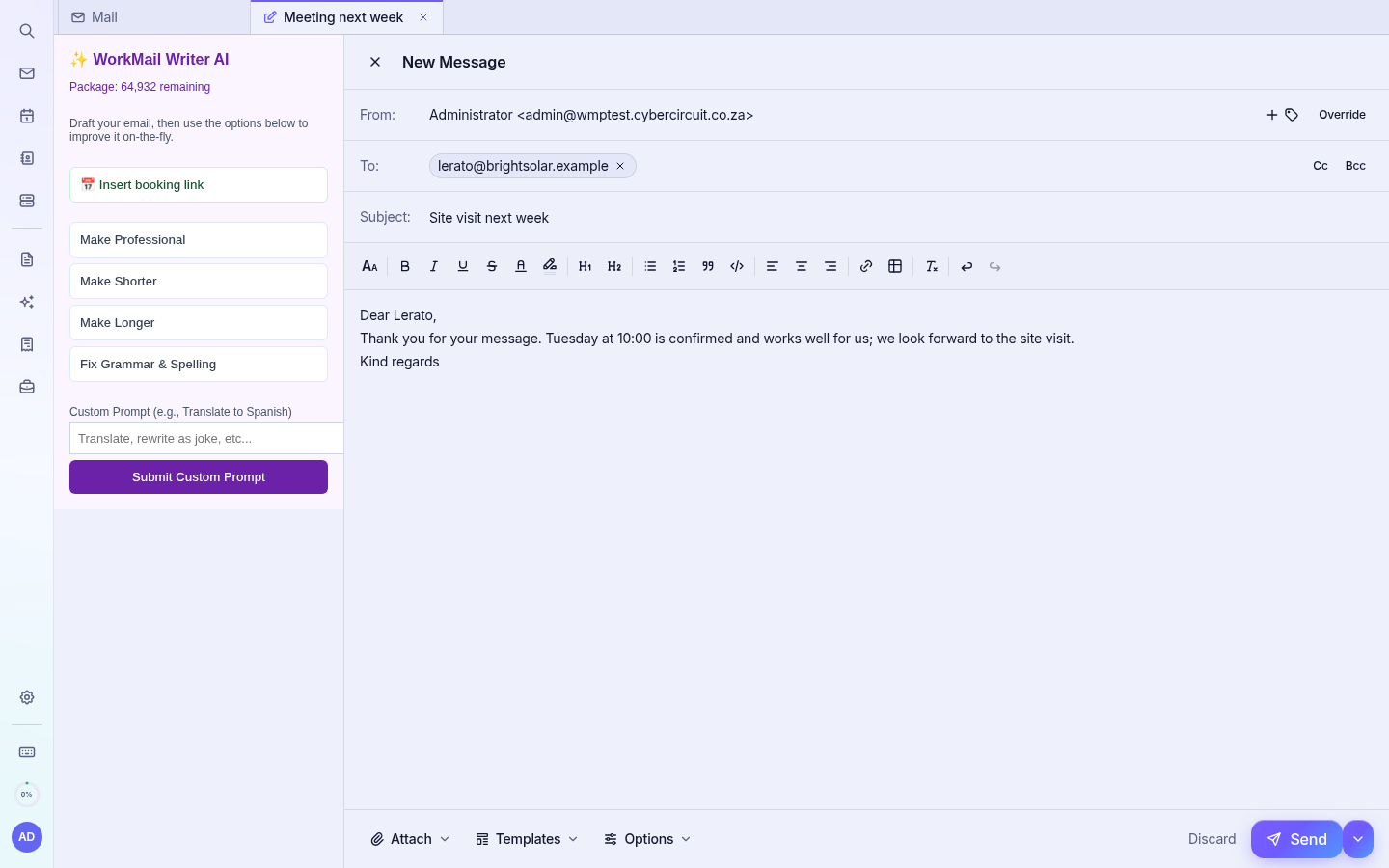
📅 Insert booking link adds a link to one of your booking pages (Business and Executive booking plans).
Note: Each rewrite uses part of your monthly AI allowance, shown as “Package: … remaining” at the top of the panel. The AI never sends email by itself.