Passwords and two-factor authentication
Keep your account safe.
Change your password
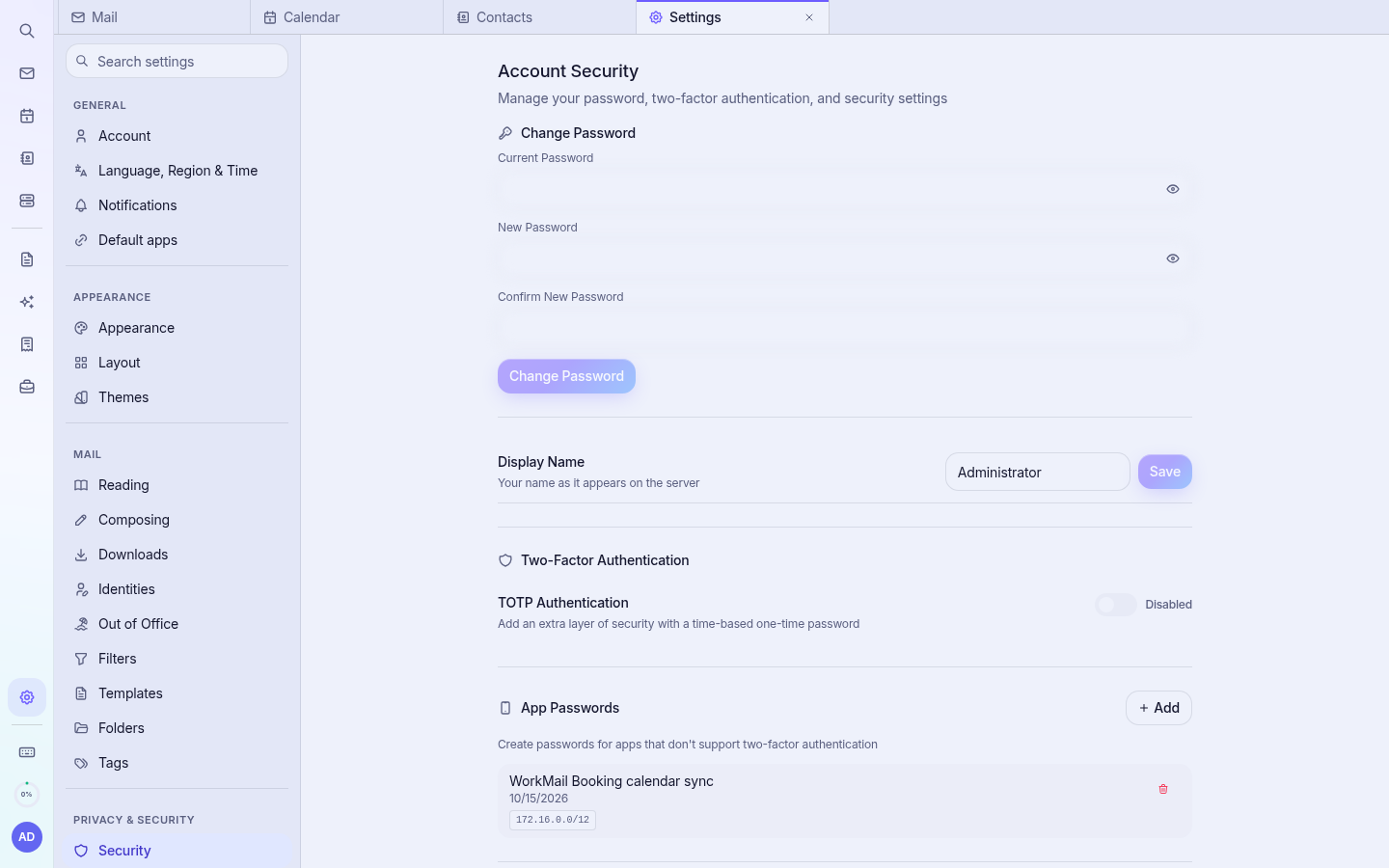
- Open Settings › Security.
- Enter your current password and the new password twice.
- Click Change Password.
Note: Changing your password here changes your mailbox password. If Accounting or CRM still accept only the old password, ask your account owner to reset it from the client area, which updates all apps at once.
Two-factor authentication (TOTP)
- In Settings › Security, switch on TOTP Authentication.
- Scan the QR code with an authenticator app (Google Authenticator, Microsoft Authenticator, Authy…).
- Enter the 6-digit code to confirm.
- Create App Passwords for phones and desktop mail apps, which cannot ask for codes.
Good habits
- Use a long, unique password (a passphrase of 4+ words).
- Never share passwords by email. Cyber Circuit will never ask for your password.
- Be careful with links in unexpected emails; WorkMail warns you about external links.
- Sign out on shared computers.